Waffle-CLI

An Ethereum CLI explorer curated for smart contract monitoring & much more
Waffle-CLI Explorer  is a CLI tool for Ethereum Developers, created using Aleth.io API. This project was started as a part of Gitcoin’s Beyond Blockchain Hackathon aiming to serve as a CLI block explorer curated for developers to monitor smart contracts & much more.
Setting it up
- Clone the repo using
git clone https://github.com/tezansahu/Waffle-CLI.git - Use
npm installto install all the dependencies - Use
npm i -gto install the cli globally so that you can use the commandwaffle-clito work with the CLI Explorer. You may need to usesudofor this. - Start using the tool by
waffle-cli [command] [options] - While using for the first time, you will be asked for an API key. You could obtain you free Aleth.io API Key by going to https://developers.aleth.io/
Waffle-CLI can also be installed directly from npm using:
$ npm install -g waffle-cli
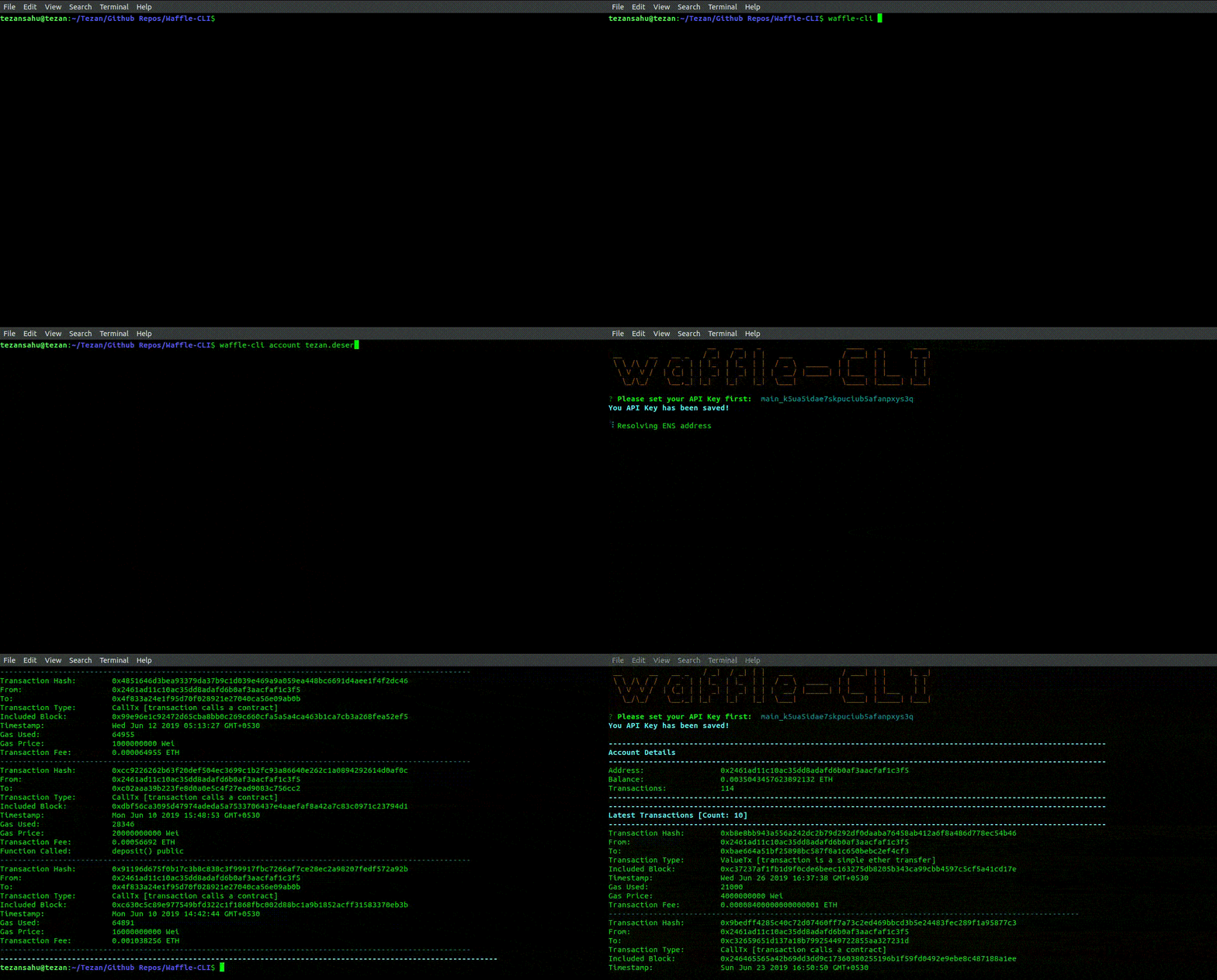
[Use --help to know more about the commands & options]
Commands
Basic Searching 
$ waffle-cli search <identifier>
This allows you to search for any transaction/block hash & for any account/contract address. The search support ENS name resolution as well.
Account-Related Details 

$ waffle-cli account [options]
This can be used to display general details about the account address or ENS domain.
Options:
-
-bor--tokenBalances: Get balances of all tokens held by<address> -
-Eor--etherTransfers: Get details about ether transfers made to/from the<address> -
-Tor--tokenTransfers: Get details about token transfers made to/from the<address> -
-sor--symbol <symbol>: Symbol of token to query for -
-for--from <fromAddress>: Filter transfers by<fromAddress> -
-tor--to <toAddress>: Filter transfers by<to address>
The filters -s, -f & -t can be used only along with -E or -T.
Examples:
$ alethiocli account 0x2461ad11c10ac35dd8adafd6b0af3aacfaf1c3f5
// Displays basic details about given <address> & 10 latest transactions

$ alethiocli account 0x2461ad11c10ac35dd8adafd6b0af3aacfaf1c3f5 -E -t 0xbae664a51bf25898bc587f8a1c650bebc2ef4cf3
// Displays all ether transfers to <toAddress> from the given <address>

$ alethiocli account 0x2461ad11c10ac35dd8adafd6b0af3aacfaf1c3f5 -T
// Displays all token transfers to/from the given <address>

$ alethiocli account 0x2461ad11c10ac35dd8adafd6b0af3aacfaf1c3f5 -T -s 'DAI'
// Display all DAI token transfers to/from the given <address>

$ alethiocli account 0x2461ad11c10ac35dd8adafd6b0af3aacfaf1c3f5 -T -s 'DAI' -f 0x9ae49c0d7f8f9ef4b864e004fe86ac8294e20950
// Display all DAI token transfers from the <fromAddress> to the given <address>

$ alethiocli account 0x2461ad11c10ac35dd8adafd6b0af3aacfaf1c3f5 -T -t 0x9ae49c0d7f8f9ef4b864e004fe86ac8294e20950
// Display all DAI token transfers to the <toAddress> by the given <address>
Contract-Related Details 
$ waffle-cli contract <address> [options]
This command deiplays general details about a contract deployed at the provided address
Options:
-
-bor--block: Show details about the block where the contract was created -
-cor--creationTxn: Show details about the Contract Creation Transaction -
-Eor--event <event_signature>: Aggregate events logged with the same<event_signature>(see examples) -
-for--transactionsFrom <account>: Show details of transactions made from<account>to the contract -
-nor--number <num>: Limit the search of transactions, messages, event logs, etc. to<num>latest entries -
-lor--logs: Show details about<num>latest Log Entries (Events) associated with the contract -
-mor--messages: Show details about<num>latest Contract Messages (Internal Transactions) -
-sor--start <timeStamp>: Date & Time (local) in RFC2822 format (see examples) marking the beginning of the range to search transactions -
-eor--end <timeStamp>: Date & Time (local) in RFC2822 format (see examples) marking the end of the range to search transactions -
-tor--transactions: Show details about<num>latest transactions to/from the contract -
-Tor--transactionsTo <account>: Show details of transactions made to<account>by the contract
Examples:
$ alethiocli contract 0x89d24A6b4CcB1B6fAA2625fE562bDD9a23260359 -b -c
// Displays the block details in which the contract creation was recorded along with the creation transaction

$ alethiocli contract 0x89d24A6b4CcB1B6fAA2625fE562bDD9a23260359 -t
// Displays 10 latest transactions to the contract

$ alethiocli contract 0x89d24A6b4CcB1B6fAA2625fE562bDD9a23260359 -e 'Transfer(address,address,value)' -n 50
// Displays 50 latest events logged by the contract with the given signature

$ alethiocli contract 0x89d24A6b4CcB1B6fAA2625fE562bDD9a23260359 -f 0x2461AD11C10Ac35Dd8aDAfD6B0Af3AacFAf1C3f5 -n 15
// Displays 15 latest transactions to the contract made by given account

$ alethiocli contract 0x89d24A6b4CcB1B6fAA2625fE562bDD9a23260359 -m -s '5 Jul 2019 11:00' -e '5 Jul 2019 13:30'
// Displays contract messages (internal transaction) occuring between 11:00 am & 1:30 pm on 5 July 2019 (according to local timezone)
Block-Related Details
$ waffle-cli block <identifier> [options]
This command is used to get general details about the block given by the block hash or block number.
Options:
-
-tor--transactions: Display details about all transactions included in the block
Transaction-Related Details 

$ waffle-cli transaction <hash>
This command is used to get general details about the transaction given by the hash.
Created with ❤️ by Tezan Sahu & Smit Rajput